
Record player too fast or too slow? Find the cause first.
Wobbly pitch, songs that run long or short, or a steady offset at 33, 45 or 78 rpm all mean a speed problem. When the error shows up tells you where to look.

Check the speed with a strobe disc or phone strobe app. Then lift the tonearm: if the speed steadies with the arm up, it's mechanical drag (belt, bearing, idler). If it stays wrong, it's the motor or speed control. Fix the simple mechanical causes first, starting with the belt.
Is my turntable running at the right speed?
Four quick answers and you’ll see how far off it is and what to fix first.
Some LED lights and phone cameras flicker on their own. If a reading looks odd, try a second app or another light.
Put a small piece of tape or a dot near the platter edge and set the deck to the speed you play.
When it happens tells you why
- Wrong from the moment you switch on, and steady: suspect the motor or speed control.
- Drifts slowly over minutes: think temperature changes, aging capacitors, or a motor losing regulation.
- Only wrong when the stylus is down: look for mechanical drag, such as a sticky bearing, a slipping belt, or an idler wheel that changes contact under load.
Keep a short log: warm or cold start, time of day, and whether you spun the platter by hand first. It makes the diagnosis much faster.

Check the speed properly
Put a small piece of tape or a dot near the platter edge, set the deck to the target speed, and use a printed strobe disc or a phone strobe app. If the marks stand still, the speed is right; if they drift, it's off. Some LED lights and phone cameras flicker on their own, so if a reading looks odd, try a second app or another light. A test record with strobe marks, or a non-contact optical tachometer, gives a finer check.
You can also listen. Play a familiar, simple track (piano, bass drum, or a steady test tone), ideally on headphones, and listen for warbling. Judge by repeated short tests, not by whether the tempo feels right.
Mechanical or electrical?
Lift the tonearm and let the platter run, then spin the platter by hand with the deck off. If the speed changes under load, or you feel friction, the cause is mechanical: the bearing, a warped platter, or a slack belt. If it's unstable no matter what, suspect the electrical side: worn brushes, a bad speed control, a failing capacitor, or the motor's regulator.
The most common mistake is replacing the motor before checking the simple mechanical parts.
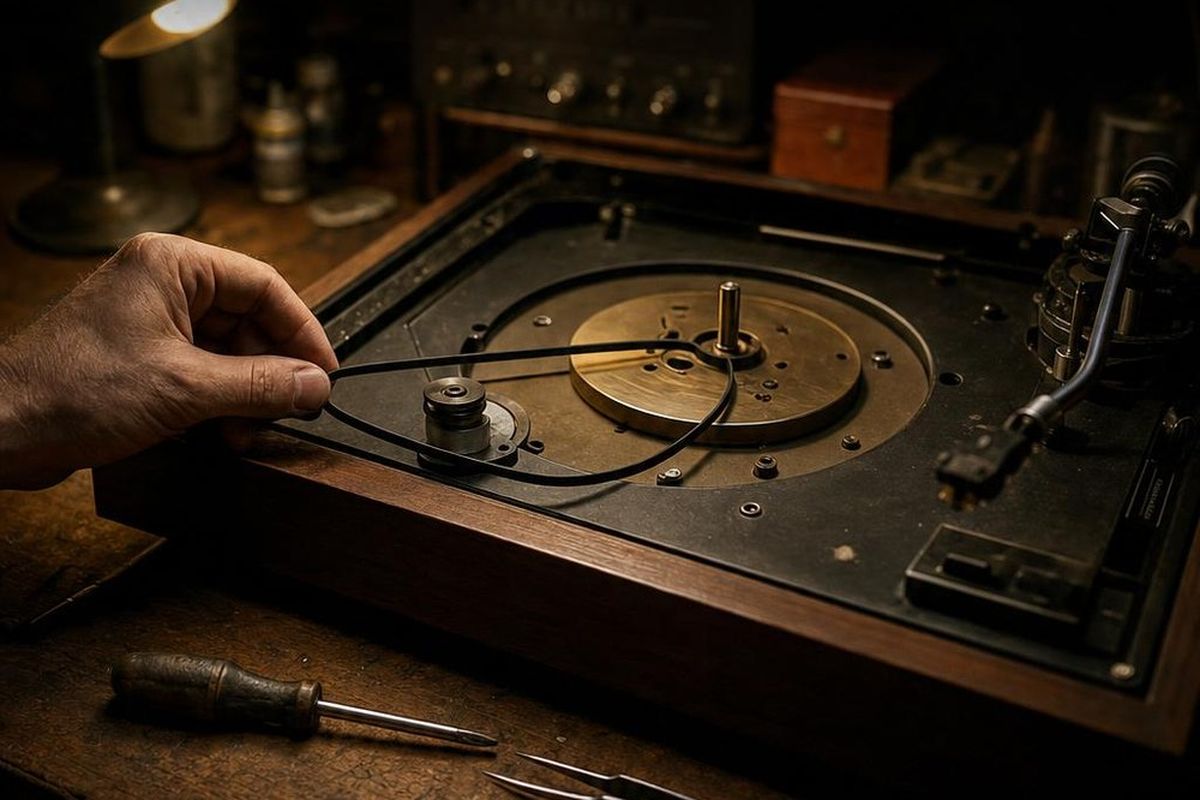
Fix it, simplest first
- Belt. Look for stretch, flat spots, glazing or embedded grit. Pinch the belt to make a small bulge and give the platter a spin: if the speed jumps or slips, replace the belt. Match the inner circumference and cross-section; a slightly snug fit is better than a loose one.
- Clean the drive surfaces. Glazed or greasy pulleys and rims slip. Clean the motor pulley and platter rim with isopropyl alcohol. On an idler deck, clean the rubber wheel with warm soapy water or a rubber-safe cleaner, never a harsh solvent.
- Platter bearing. Hand-spin the platter: it should coast freely and quietly. Roughness or a short spin-down means old grease or dirt. Clean the shaft and housing and relubricate sparingly with the recommended oil.
- Motor mount and trim. Tighten loose motor mounts to remove play, but keep the rubber or felt isolation in place. If the deck has a speed trim, note its position, then make very small adjustments while watching the strobe with the tonearm down.
- Speed control. If turning the speed pot gives scratchy or erratic results, a short burst of electronics-grade contact cleaner while rotating it often revives it.
Test it, and when to stop
Run a 5 to 10 minute test with the tonearm down and check that the strobe holds steady at 33 and 45 rpm (and 78 if your deck has it), with no slow drift or cyclical wobble.
If the mechanical fixes don't help, an external speed controller can confirm whether the motor or electronics are at fault. Anything that means opening mains-voltage circuits or power supplies belongs with a qualified technician: capacitors can hold a dangerous charge.
What you need to fix the speed
- Turntable strobe discThe quickest way to see whether the deck runs fast, slow or wobbles.See options on Amazon →
- Optical tachometerA non-contact reading of platter speed when you want a number, not a blur.See options on Amazon →
- 99% isopropyl alcoholClean the pulley and platter rim, the first fix for slipping speed.See options on Amazon →
- Replacement turntable beltIf the speed jumps or slips after cleaning, the belt is worn out.See options on Amazon →
- Rubber-safe roller cleanerFor idler decks: clean the rubber wheel without the harsh solvents that ruin it.See options on Amazon →
- Turntable spindle oilRelubricate a sticky platter bearing sparingly, after cleaning it out.See options on Amazon →
These are Amazon links. If you buy through them I earn a small commission, at no extra cost to you.
Keep the checklist by the deck
Get the free Turntable Troubleshooting Checklist: seven quick checks to find the fault before you spend a dime on parts or hand it to a shop.
One free PDF, delivered instantly. No spam, unsubscribe anytime.

DIY Vintage Turntable Repair
The full guide: belts, idlers, bearings, speed, cartridge alignment, tonearm setup, auto-return mechanisms, wiring and hum, chapter by chapter.
Read it on Amazon →Why is my record player playing too fast or too slow?
Usually a stretched or slipping belt, a dirty pulley, or drag from the platter bearing. If the speed is wrong even with the tonearm lifted, suspect the motor or speed control.
How do I check turntable speed?
Use a printed strobe disc or a phone strobe app with a small mark on the platter edge. If the marks stand still, the speed is correct.